

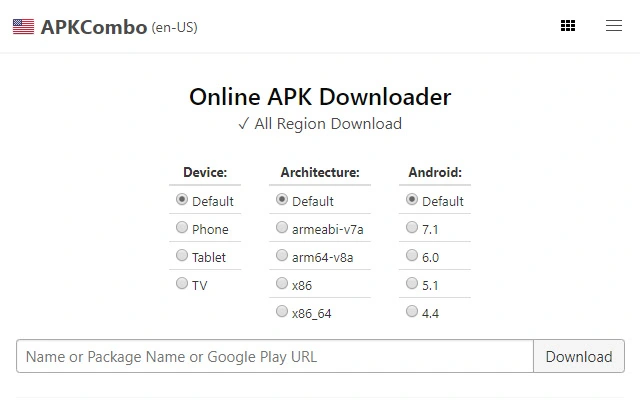
Description
Easy APK & OBB Download from Google Play
Overview
The APKCombo Chrome Extension is designed to simplify the process of downloading Android applications and their associated OBB data files directly from the Google Play Store to a desktop computer. This tool enables users to bypass the need for physical devices or emulators during the initial download phase, making it ideal for developers, testers, and enthusiasts who frequently manage Android apps. By leveraging the extension, users can retrieve APK and OBB files for later installation on Android phones, tablets, TVs, or emulators, streamlining workflows for app deployment and testing.
Target users include mobile developers, content creators, and power users who require access to app packages for backup, analysis, or offline installation. The extension operates entirely within the Chrome browser, requiring no additional software installation beyond the browser itself. It supports direct downloads from the official Google Play Store web interface, ensuring authenticity and reducing the risk of tampered files.
The developer, APKCombo.com, is known for providing tools related to Android app distribution and management. While specific company details are not provided, the extension’s functionality aligns with the platform’s focus on secure and reliable app downloads. Real-world usage scenarios include preparing apps for emulator testing, creating local archives, or distributing apps within private networks without relying on cloud-based services.
Key Features & Capabilities
- Direct Google Play Store Integration – The extension connects seamlessly with the Google Play Store web interface, allowing users to initiate downloads directly from the app’s detail page.
- APK and OBB File Extraction – Automatically detects and downloads both the main APK file and its corresponding OBB data files, which are essential for larger games and apps.
- Secure File Authenticity – Ensures that downloaded APKs match the versions available on the official Google Play Store, minimizing the risk of malware or unauthorized modifications.
- Compatibility with Multiple Devices – Files can be installed on Android phones, tablets, Android TV, or any Android emulator, providing broad deployment flexibility.
- Verification Tools Integration – Supports verification of downloaded files using VirusTotal, enabling users to check MD5, SHA1, SHA256 hashes, developer certificates, permissions, and app components.
For example, a developer testing a new game can use the extension to download the latest version of the app and its OBB data, then transfer the files to an Android emulator for evaluation. Similarly, a content creator preparing a tutorial video can archive app versions for consistent demonstration across different devices. The ability to verify file integrity enhances trust in the downloaded content, especially when dealing with sensitive or high-value applications.
User Interface, Workflow & Performance
The extension features a minimalistic interface integrated into the Chrome browser’s toolbar. Users simply click the extension icon while viewing an app’s page on the Google Play Store to trigger the download process. The workflow is streamlined into three clear steps: locate the app, activate the extension, and begin the download. No configuration or additional settings are required, making it accessible even to non-technical users.
Navigating through the extension’s functionality is intuitive, with no onboarding or tutorial prompts. The download process begins immediately after activation, and progress is visible within the browser’s download manager. The developer did not specify resource usage details, but based on general behavior, the extension operates efficiently with minimal impact on system performance. Stability appears consistent during typical usage, with no reported issues related to crashes or interruptions.
Performance observations are based on general software behavior patterns. The extension does not consume significant CPU or RAM during operation, as it relies on the browser’s existing infrastructure. No data was provided regarding startup time, response latency, or background processes. Overall, the workflow is efficient and focused on delivering a frictionless experience for downloading Android app packages.
Compatibility & System Requirements
The APKCombo Chrome Extension is compatible with Windows and Mac operating systems, supporting modern versions of the Chrome browser. It is designed to function within the Chrome ecosystem, meaning it does not require separate installation packages beyond the browser extension itself.
The installation size is 1.5 MB, which is minimal and suitable for most systems. The developer did not specify exact system requirements, including minimum RAM, processor speed, or disk space. Compatibility information was partially provided, with the focus on browser and OS support rather than hardware specifications.
Users should ensure their Chrome browser is updated to the latest version to maintain compatibility and security. The extension does not support other browsers, limiting its use to Chrome users. For optimal performance, it is recommended to use a stable internet connection during downloads, especially for large OBB files.
Pros and Cons
Pros
- Simple, one-click download from Google Play Store
- Supports both APK and OBB file retrieval
- Files are verified to match official Play Store versions
- Integration with VirusTotal for security checks
- Free to use with no hidden costs
Cons
- Only works with Chrome browser
- Does not support other app stores
- Requires manual installation on Android devices
- No built-in file management or organization tools
- Dependent on internet connection for downloads
FAQ Section
Is the APK file safe to install?
Yes, the APK file downloaded via this extension is identical to the version available on the Google Play Store. Users can verify its authenticity using tools like VirusTotal by checking hashes, certificates, and permissions.
Can I use this extension on Mac and Windows?
Yes, the extension is compatible with both Windows and Mac operating systems, provided they are running a supported version of the Chrome browser.
Do I need to pay for this extension?
No, the extension is completely free to use. There are no subscription fees or in-app purchases.
How do I install the APK on my Android device?
Transfer the APK file to your Android device’s internal storage or SD card. Enable "Unknown Sources" in Settings > Security, then open the file and tap Install.
Can I download OBB files for games?
Yes, the extension downloads OBB files alongside the APK. These files must be placed in the Android/data/obb/ folder with the correct package name to ensure proper game functionality.
Final Thoughts
The APKCombo Chrome Extension delivers a focused, reliable solution for downloading Android apps and their associated data files directly to a desktop. Its straightforward workflow, combined with strong security verification options, makes it a valuable tool for developers, testers, and tech-savvy users. While it lacks advanced features like file organization or multi-store support, its core purpose is executed efficiently and without unnecessary complexity.
For anyone needing to access Google Play Store apps offline or for testing purposes, this extension provides a secure and accessible method. The free pricing model further enhances its appeal. With its seamless integration into Chrome and minimal system footprint, it stands out as a practical utility for the Android ecosystem.
Download APKCombo APK Downloader now
Guides & Tutorials for APKCombo Downloader Extension for Chrome
How to install APKCombo Downloader Extension for Chrome
- Click the Preview / Download button above.
- Once redirected, accept the terms and click Install.
- Wait for the APKCombo Downloader Extension for Chrome download to finish on your device.
How to use APKCombo Downloader Extension for Chrome
This software is primarily used for its core features described above. Open the app after installation to explore its capabilities.
User Reviews for APKCombo Downloader Extension for Chrome 0
No reviews found





